
Items (Products & Services)
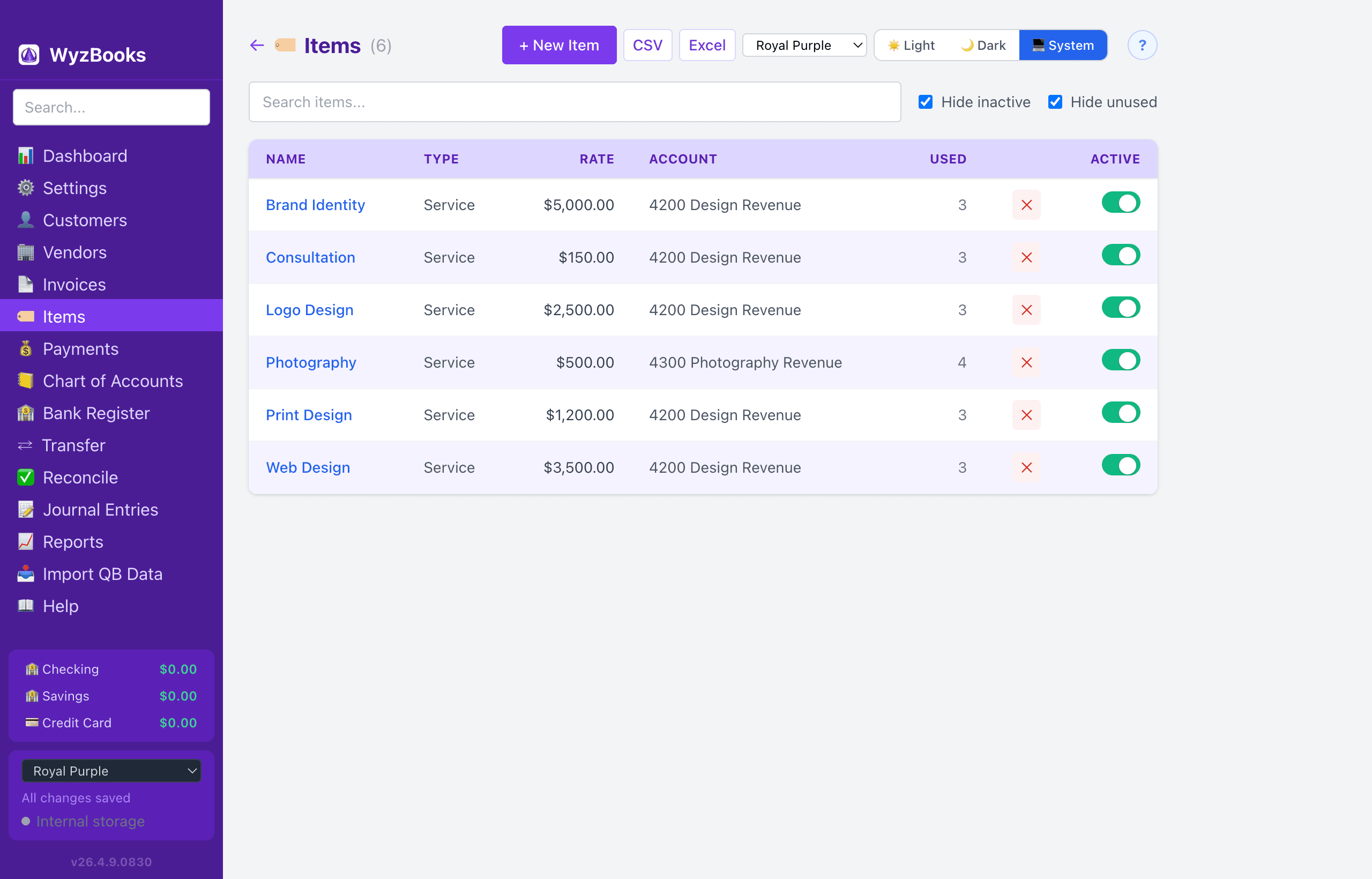
The Items page manages your catalog of products and services. Items can be selected on invoice line items to auto-fill the description, rate, and income/expense account.
Item List
The list shows all items with columns: Name, Type, Rate, Account, Used (number of invoice lines referencing the item), and Active (toggle switch).
- Search: Filter items by name, type, or description.
- Hide Inactive: Checkbox (on by default) to hide items marked inactive.
- Hide Unused: Checkbox (on by default) to hide items that are not referenced by any invoice line.
Click any item name to open the edit form. Right-click for Edit / Delete context menu.
Creating & Editing Items
Click "+ New Item" to create an item. The form includes:
- Name — The item name (required).
- Type — Service, Inventory Part, Non-inventory Part, Other Charge, Discount, Payment, or Subtotal.
- Description — Default description text, auto-filled on invoice lines when this item is selected.
- Rate / Price — Default unit price, auto-filled on invoice lines.
- Account — The income or expense account to post to when this item is used on an invoice line.
- Active — Toggle to deactivate an item without deleting it. Inactive items are hidden from the list by default.
Default Item
In Settings → General, you can set a Default Invoice Item. New invoice lines will be pre-filled with this item's description, rate, and account.
Importing Items
Items are imported from IIF files during QuickBooks Import (Step 2). Each imported item includes name, type, description, price, and linked account.
Exporting
The Items list can be exported to CSV or Excel (.xlsx) using the buttons in the page header. Exports include Name, Type, Rate, Account, Used count, and Active status.