
Journal Entries
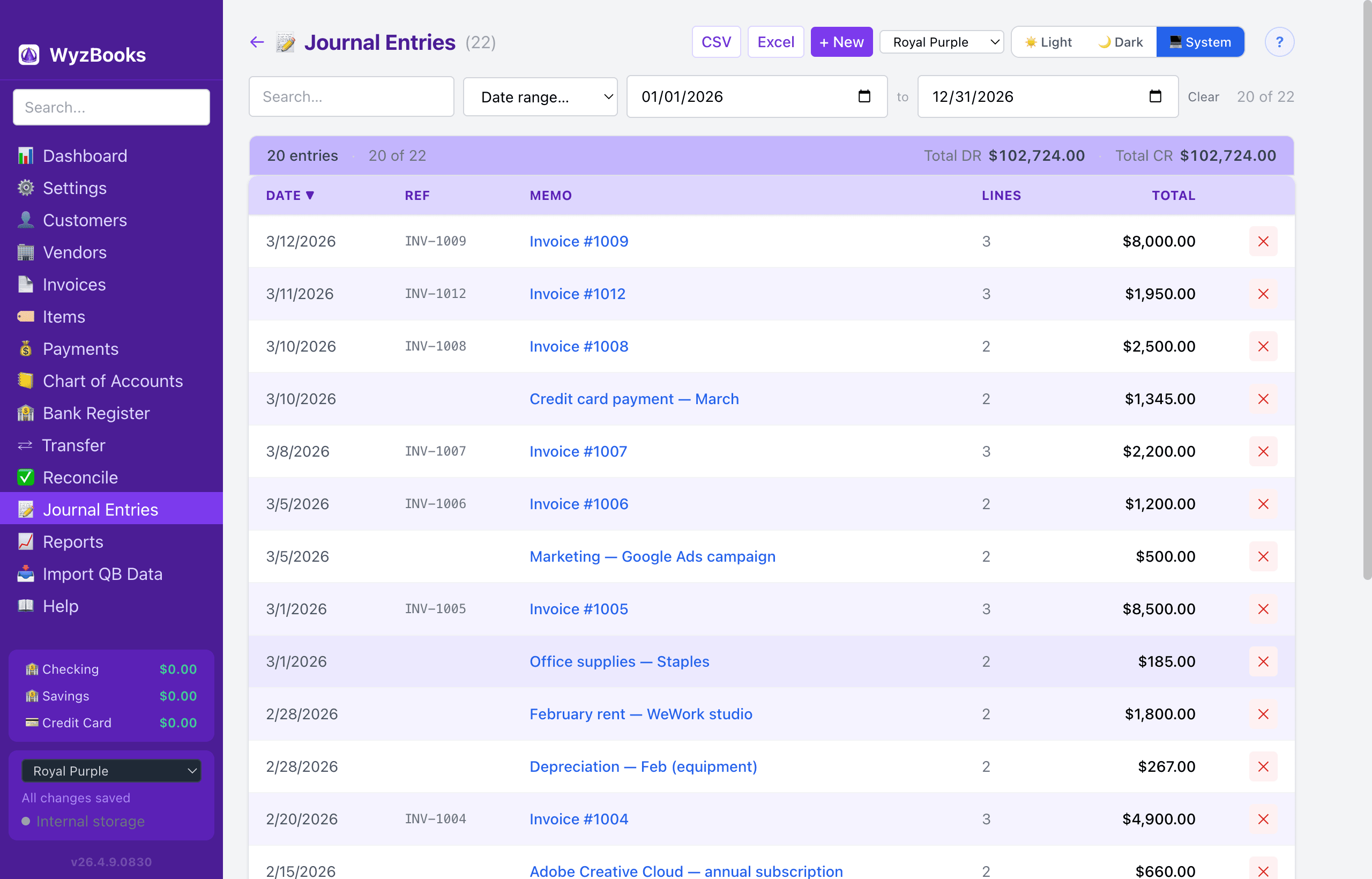
Journal entries are the core of double-entry bookkeeping. Every transaction in WyzBooks — whether entered directly, created by an invoice, or generated by a payment — is stored as a balanced journal entry.
Journal Entry List
The list shows all journal entries with Date, Reference, Memo, number of Lines, and Total (sum of debits). Click the Date header to toggle sort direction. Right-click any row for Edit / Delete context menu. Press ⌘Z immediately after a delete to undo.
- Search — Filter entries by memo, reference, or account name using the search box.
- Date Range — Use the preset dropdown (This Month, Last Month, This Quarter, Last Quarter, This Year, This & Next Year, Last Year, Last 12 Months, All Dates) or set custom From/To dates. A Clear button resets the filter. The count shows "N of M" filtered entries.
- Today Marker — A visual separator row marks where today's date falls in the chronologically sorted list.
Creating a Journal Entry
Click "New Entry" and fill in:
- Date — Transaction date.
- Reference — Optional reference code (e.g., check number, transaction ID).
- Memo — Description of the transaction.
- Lines — Each line has an Account (dropdown of all active accounts), a Debit amount or Credit amount (only one per line), and an optional line-level Memo.
Balancing Rule
Total debits must equal total credits before you can save. The form shows a live indicator: "Balanced ✓" in green when balanced, or the out-of-balance amount in red.
Entering a debit amount automatically clears the credit on the same line, and vice versa.
Common Journal Entry Patterns
- Record an expense: Debit the expense account (e.g., Office Supplies), credit the bank account.
- Transfer between banks: Debit the destination account, credit the source account. (Or use the Transfers page for a simpler form.)
- Adjusting entry: Debit and credit as needed to correct account balances.
- Depreciation: Debit Depreciation Expense, credit Accumulated Depreciation (Asset).
Exporting
The journal entries list can be exported to CSV or Excel (.xlsx) using the buttons in the page header. The export includes one row per journal line (Date, Ref, Memo, Account #, Account Name, Debit, Credit).